
By: Ann Marie, Information Services Supervisor
Have you ever been researching a topic and wished you had instant access to a reliable reference book? Salem Online makes that possible.
Salem Online is a powerful research database that offers digital access to a broad selection of trusted reference materials published by Salem Press, and its partner Grey House Publishing. These materials feature a wide range of topics, including literature, history, health, science, careers, and business.
Salem Press has a long-standing reputation for providing schools, universities, and libraries with authoritative, well-researched books. Many of these titles have long been included in the Dauphin County Library System’s reference collection, and for decades, adults looking for reliable medical information, job seekers exploring new career paths, or students conducting research for a project have turned to our reference copies of Salem Press volumes to provide them with accurate information.
Pictured below are three examples of Salem Press titles that have been serving the community well:
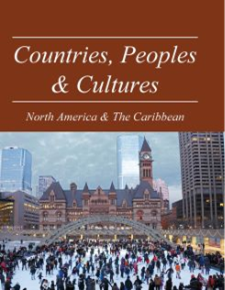
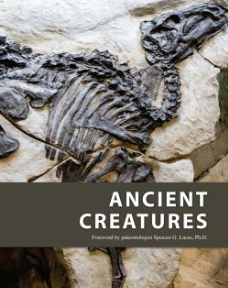
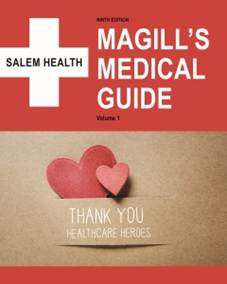
To view our full collection of more than 160 print titles, perform a basic search of our catalog using the search term “Salem Press.” As you browse through the results, you can see the library location where each volume is located. (Here is a link showing that list sorted alphabetically.)
Reference Books You Can Access Anywhere
In recent years, through its Salem Online database, Salem Press began offering library users a way to access the full-text content of these print reference books remotely anytime of the day or night, and by adding this resource to our collection, The Library has widely broadened access to these reference materials. Now, members from all library locations can view the content of these books online without needing to make a trip to a specific library; and, because this database also permits users to download and save content, they no longer need to pay to make photocopies from reference books that do not check out, either. All content found in this database is identical to what is offered in the print volumes, so users can feel confident about using the online versions for their research.
How to Access Salem Online
Ready to give Salem Online a try for yourself? You will be happy to learn that Salem Online is easy to navigate, and access is free for library members. To find Salem Online, visit The Library’s homepage and select “Research.” Then scroll down through the alphabetic list of databases until you find “Salem Online.” To open this resource, either click on the “USE RESOURCE” link under the database description or click on the “Salem Online” title itself. If you are outside of a library building, enter your library card number and PIN when prompted. Once you do, the resource will open.
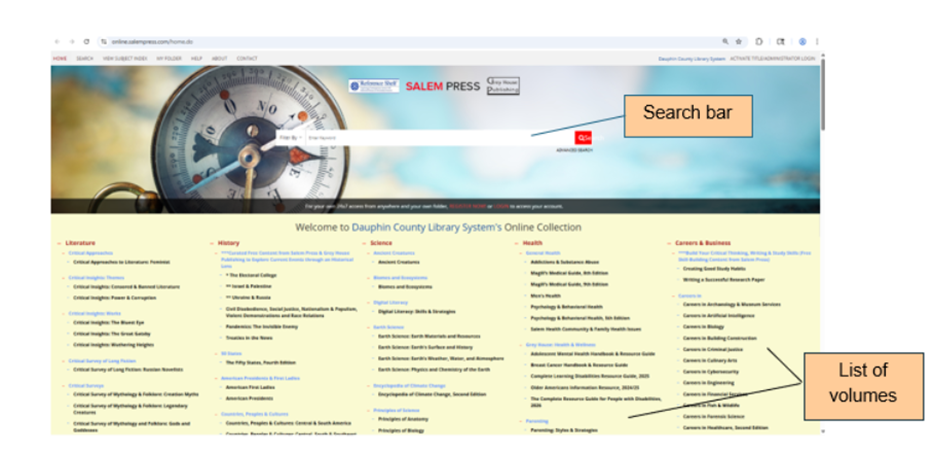
When it does, you will see a search bar – along with an advanced search option – near the top of the landing-page screen. You will also see a browsable list of titles organized by category in the bottom half of the screen. You can enter a keyword search term (or title) for a more direct search, or you can browse through the titles and explore their tables of contents and indexes to search for wanted content. The image below shows what the landing-page looks like.
For a quick demonstration on how to use this resource, view this video:
https://salempress.com/online-intro-video.
Helpful Tools for Researchers
As you begin to explore this incredibly useful resource for yourself, be sure to look for the many tools that make using Salem Online even more beneficial to use. These tools include ones to:
- Switch to a dyslexic-friendly font
- View three citation types for each article.
- Save the article.
- Print the article.
- Email the article.
- Copy a Permalink of the entry.
- Search using specific keywords (which will be highlighted in the text).
- Modify font size by adjusting your computer’s magnification level.
Access Salem Titles Directly from the Catalog
There is another convenient way to find and access Salem Press content online.
When you locate a Salem Press title in the library catalog, you can navigate directly to the online version of the book. Look for the “Edition Information” link at the bottom of the record and click it. If the book offers an online version, you will see an “Also available online” link on the next page. When you click that link, the online version from the database will automatically open.
[Note: If you are outside of a library building when you click the “Also available online” link, you be asked to enter your library card number and PIN to view the online resource.]
Try It Today
With a little practice, you will very quickly become well-versed in using Salem Online for your research. If you would like help exploring Salem Online, stop by the East Shore Area Library. The Information Services team will be glad to walk you through this resource and help you get started.